Always On Display- BorderLight1.0.12
Publisher Description


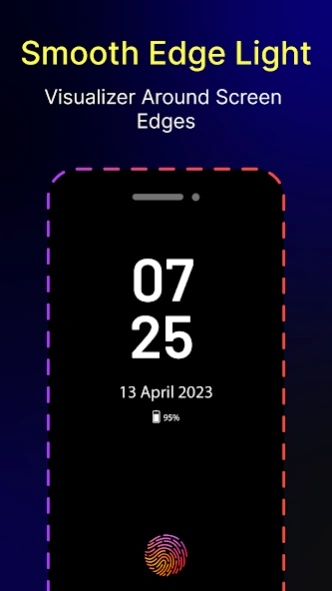

Always On Display with Edge Lighting. Digital, Analog Clock with custom colors.
Always On Display AMOLED: BorderLight AOD will bring all the impressive features of Edge Lighting Colors and AOA to your phone.
Always On AMOLED - AOA
Always On AMOLED AOD will provide you with information about your notifications, clock, date, edge lighting, and much more on your screen without having to touch your phone or tablet.
Edge Lighting - LED Borderlight:
Edge Lighting - Borderlight AOD consists of Color effects, which will run around the screen when an incoming call/SMS or new notification arrives. It Offers beautiful RGB color combinations and customization options to make your phone screen lock stunning and unique.
Top Feature Of Always On Display - Edge Lighting AOD:
- Borderlight with color effects, duration animation, and speed animation.
- Round Corners are very catchy and produce very nice effects on all Android phones
- you can display your picture or your favorite photo on your Amoled Screen
- You Can also display your favorite best emoji on the Always on Display Screen
- Change clock style (digital, analog, Photo, and Emoji clock).
- Always On Memo - write a reminder and make it show up on your screen all the time!
- Customization - change the text color, text size, font, brightness, and more
- Display notification icon with message title
I wish the app ( Always On AMOLED - BorderLight ) will make your life better and more convenient.
About Always On Display- BorderLight
The company that develops Always On Display- BorderLight is Medialogix Studio. The latest version released by its developer is 1.0.12.
To install Always On Display- BorderLight on your Android device, just click the green Continue To App button above to start the installation process. The app is listed on our website since 2024-01-09 and was downloaded 2 times. We have already checked if the download link is safe, however for your own protection we recommend that you scan the downloaded app with your antivirus. Your antivirus may detect the Always On Display- BorderLight as malware as malware if the download link to com.mobilogix.edgelighting.roundcorner.display.galaxyflasher.edgelightning is broken.
How to install Always On Display- BorderLight on your Android device:
- Click on the Continue To App button on our website. This will redirect you to Google Play.
- Once the Always On Display- BorderLight is shown in the Google Play listing of your Android device, you can start its download and installation. Tap on the Install button located below the search bar and to the right of the app icon.
- A pop-up window with the permissions required by Always On Display- BorderLight will be shown. Click on Accept to continue the process.
- Always On Display- BorderLight will be downloaded onto your device, displaying a progress. Once the download completes, the installation will start and you'll get a notification after the installation is finished.
Program Details
System requirements
Download information
Pricing
Version History
version 1.0.12
posted on 2024-01-09
- Crashes Fixed
